
YOUR WEB, PRESERVED.
ArchiveBox.app
Save the web you want to keep.
At home on iPhone, iPad, and Mac.
 ArchiveBox for iOS
 ArchiveBox for macOS
  ArchiveBox Server for macOS
iOS 26+ · iPadOS 26+ · macOS 26+ · Free & open source
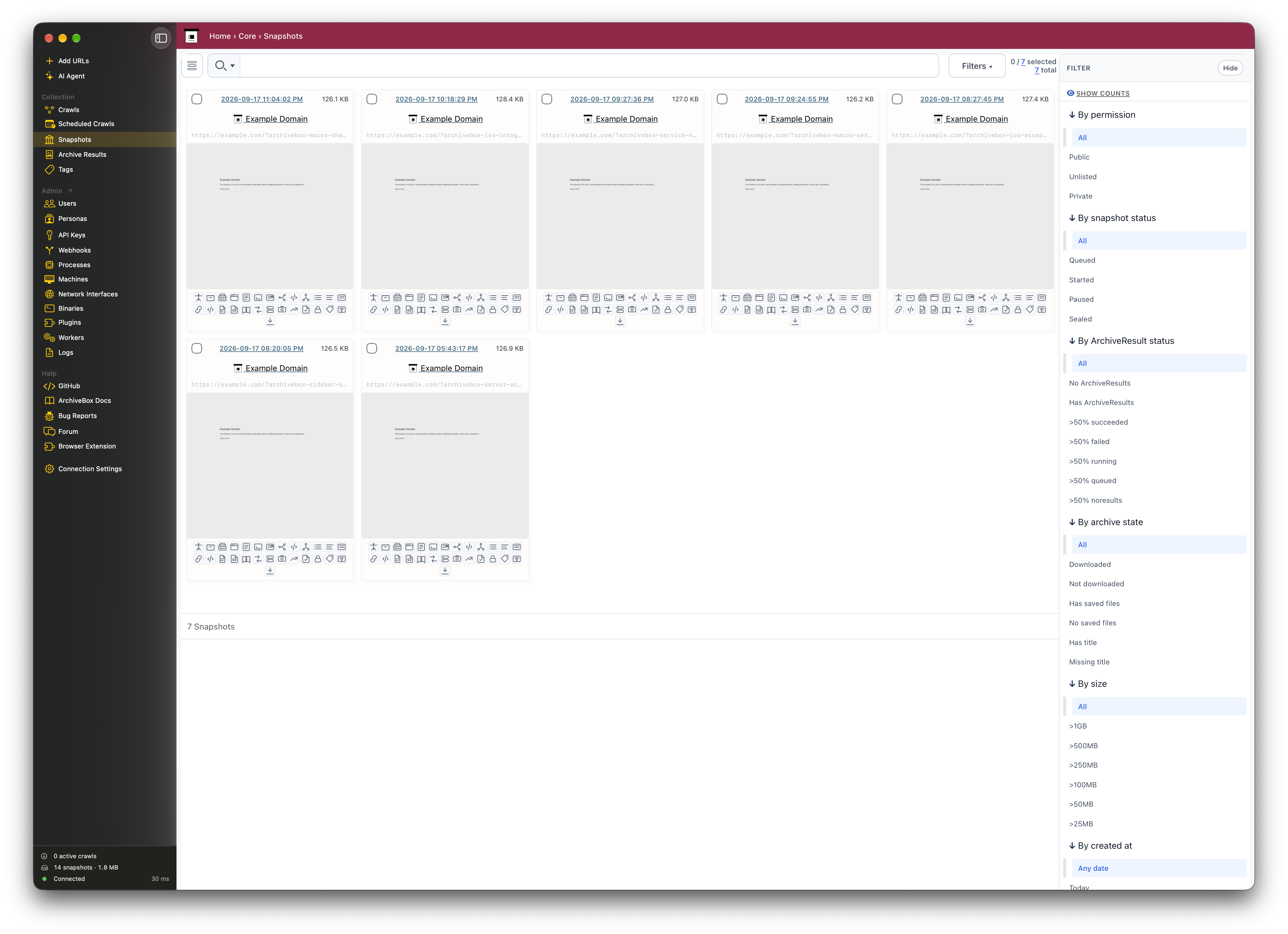
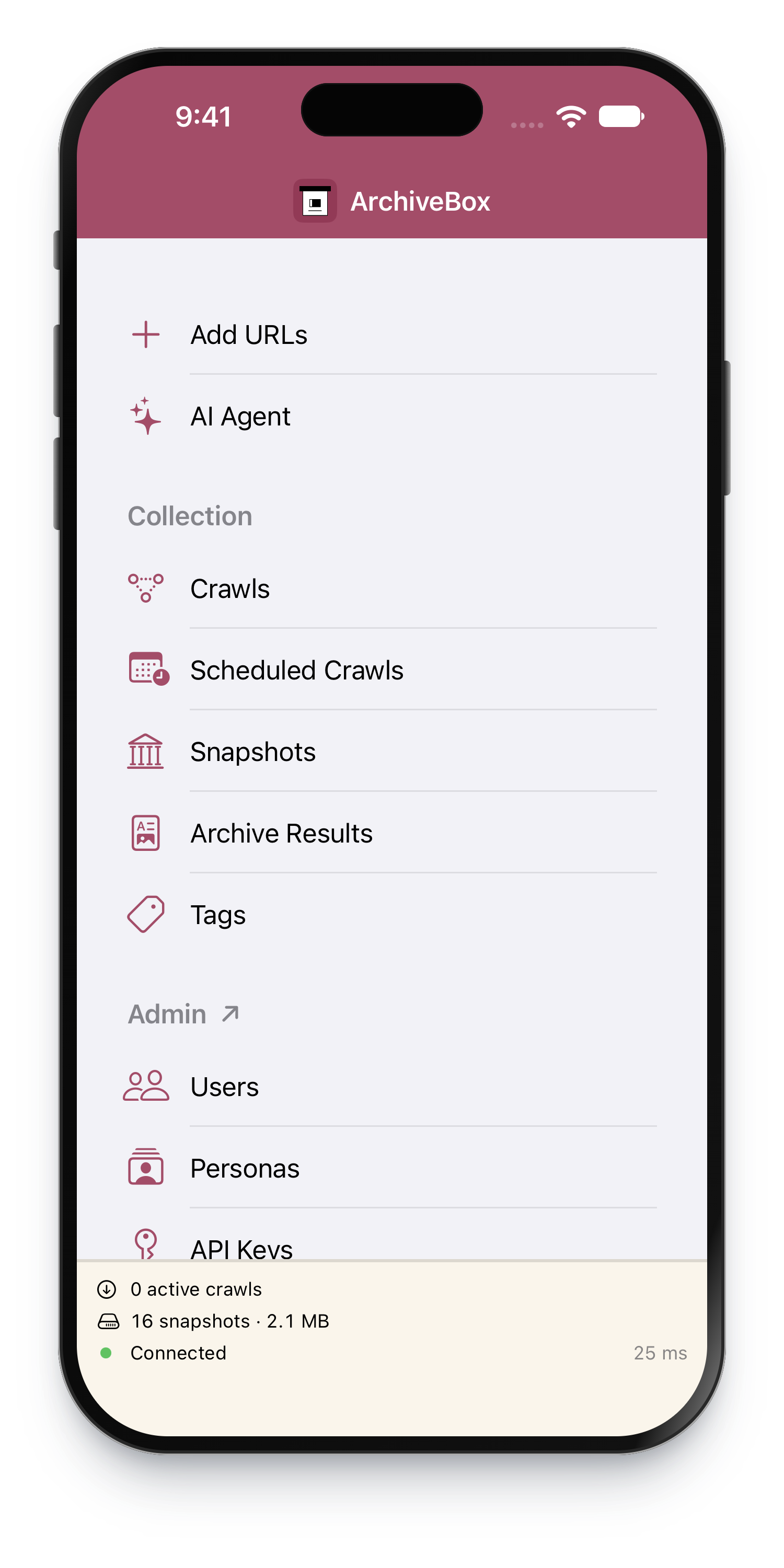
ArchiveBox saves copies of websites so you can revisit them after they change or disappear. ArchiveBox.app brings your archive to your Apple devices. Share a link, browse saved pages, and manage your collection from one native app.
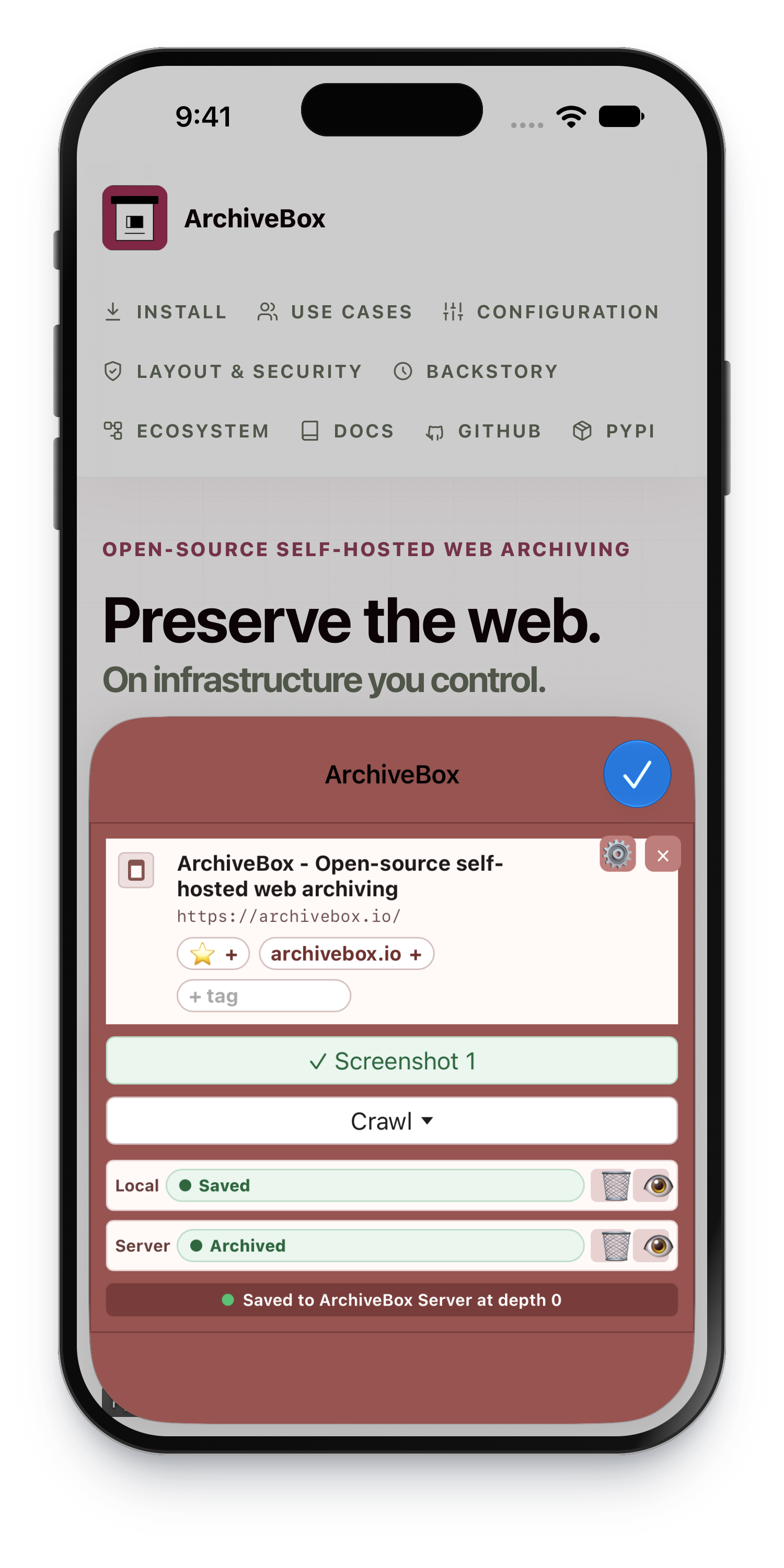
- 📥 Save from other apps with the iPhone, iPad, and Mac share sheet.
- 🏛️ Browse your archive with snapshots, search, tags, and saved output formats.
- 🧭 Collect from Safari, Chrome, Firefox, Brave, and other browsers using the included browser extension.
- 👤 Save pages that require a login using personas.
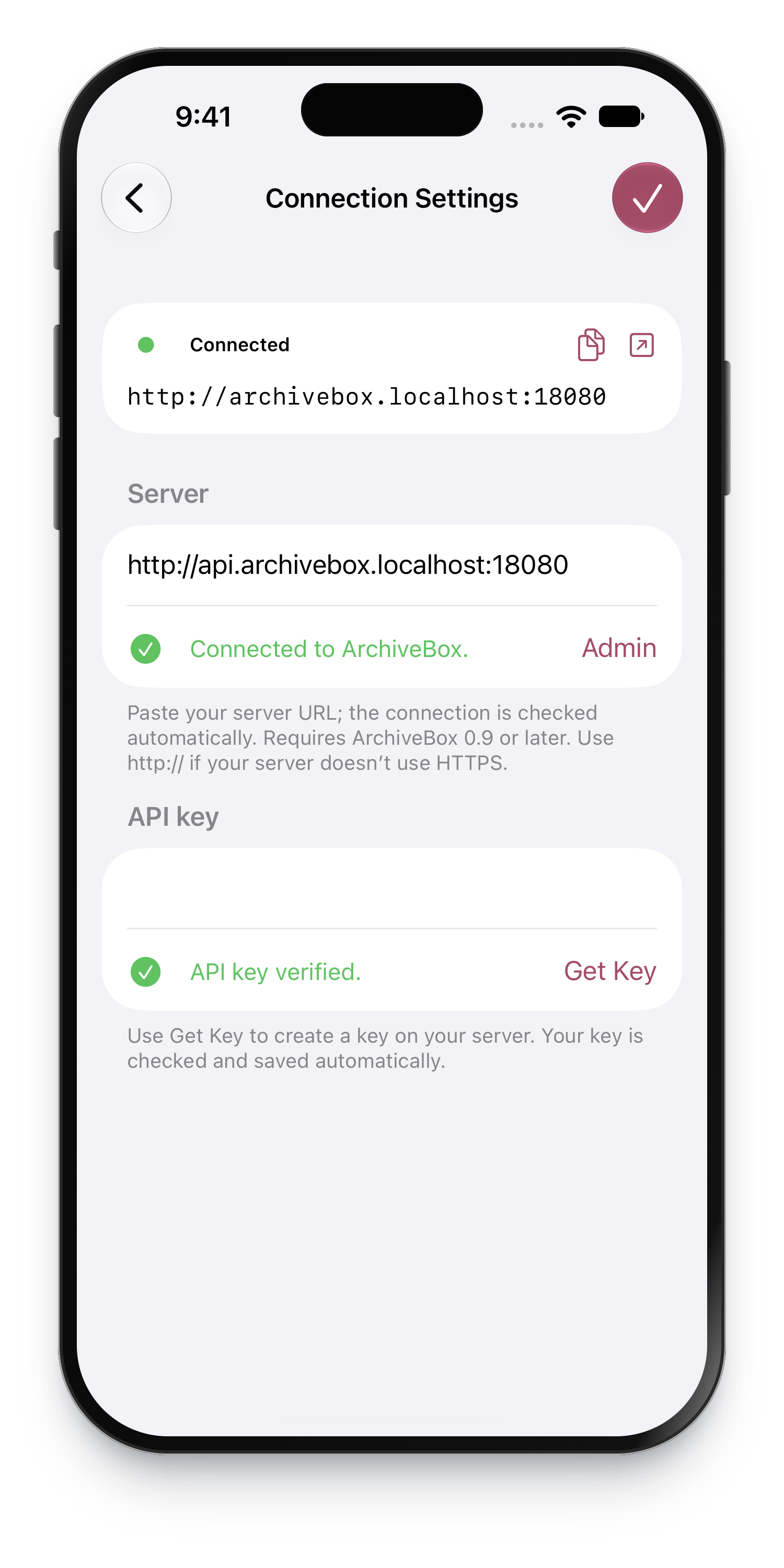
- 🔑 Connect to your own server with a URL and API key.
Get started
- Install ArchiveBox.app. Join TestFlight on iPhone, iPad, or Mac, or find the Mac app on GitHub Releases.
- Connect your archive. Open Connection Settings and enter your server URL. On Mac, you can also choose Run Server Locally to use the optional companion below.
- Add your API key. Use Get Key to create a key on your server, then paste it into the app.
- Save your first link. Choose Share → ArchiveBox from any app that shares URLs.
Beta · Requires ArchiveBox 0.9.x or later · Mac downloads require Apple Silicon.
Share it. Keep it.
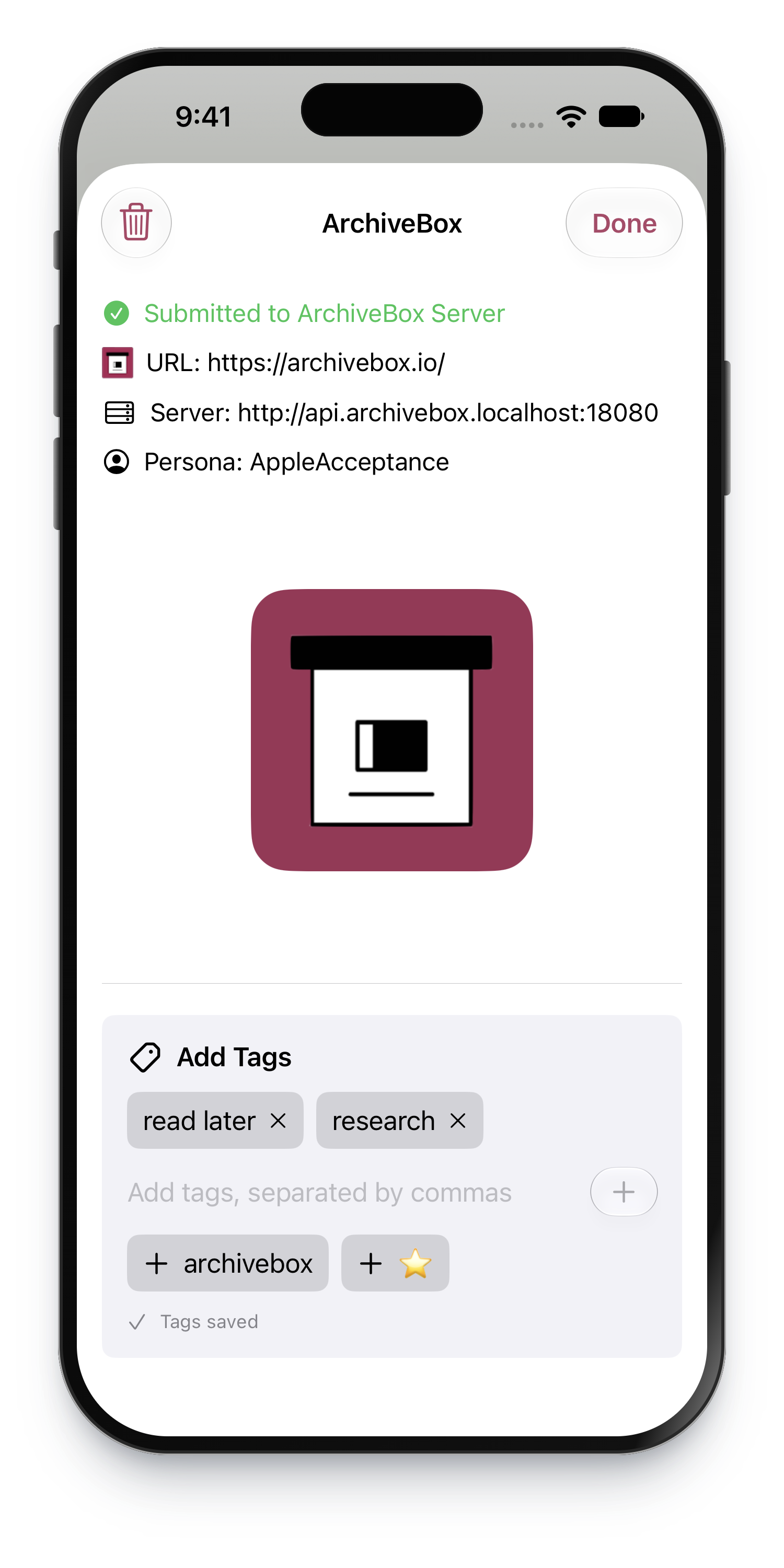
- Open a link in Safari, Chrome, Firefox, Brave, Mail, Messages, or another app.
- Tap the Share button and choose ArchiveBox.
- Add tags to keep your collection organized.
- Find the result in Snapshots after the server finishes archiving.
Choose a Default Persona in Add URLs for pages that require a login.
Your server must be reachable to save new links.
Can’t see ArchiveBox in the share sheet?
- iPhone / iPad: open the share sheet’s app row, choose More, then Edit to add ArchiveBox to your favorites.
- Mac: enable ArchiveBox in System Settings → General → Login Items & Extensions → Extensions → Sharing.
Shortcuts and Siri
The universal ArchiveBox app provides two actions on iPhone, iPad, and Mac:
- Search ArchiveBox searches snapshot URLs, titles, and tags in the background. It returns up to Maximum Results (20 by default, up to the server’s 500-result page limit). Each result exposes its title, original URL, archive URL, snapshot ID, and tags to subsequent Shortcut actions. It does not open the app or search archived page bodies.
- Save URLs to ArchiveBox accepts one or more web URLs, including input from a preceding Shortcut action. It uses the saved connection and Default Persona, removes duplicate input URLs, and returns the links the server accepted. Capture completes on the server; there is no offline queue.
Find both under ArchiveBox in Shortcuts, or say “Search ArchiveBox” / “Save URLs to ArchiveBox” to Siri and supply the requested input. First configure the server and API key in Connection Settings. Both actions require access to the unlocked device’s Keychain and a reachable server. Empty searches return an error; a search with no matches returns an empty list.
Your server, your choice
Use an existing ArchiveBox server anywhere you can reach it, or keep your archive on your Mac with ArchiveBox Server.app.
| ArchiveBox.app | ArchiveBox Server.app | |
|---|---|---|
| What it does | Save links, browse, and manage your archive | Run the actual ArchiveBox server on your Mac |
| Where it runs | iPhone, iPad, and Mac | Apple Silicon Mac with macOS 26+ |
| What to install | The client on each device you use | The optional companion on the Mac that stores your archive |
| Already have a server? | Connect it in Settings | You don’t need the companion |
ArchiveBox Server.app
A home for your archive, right on your Mac. The optional companion runs quietly in the menu bar and keeps archiving when you close the client app.
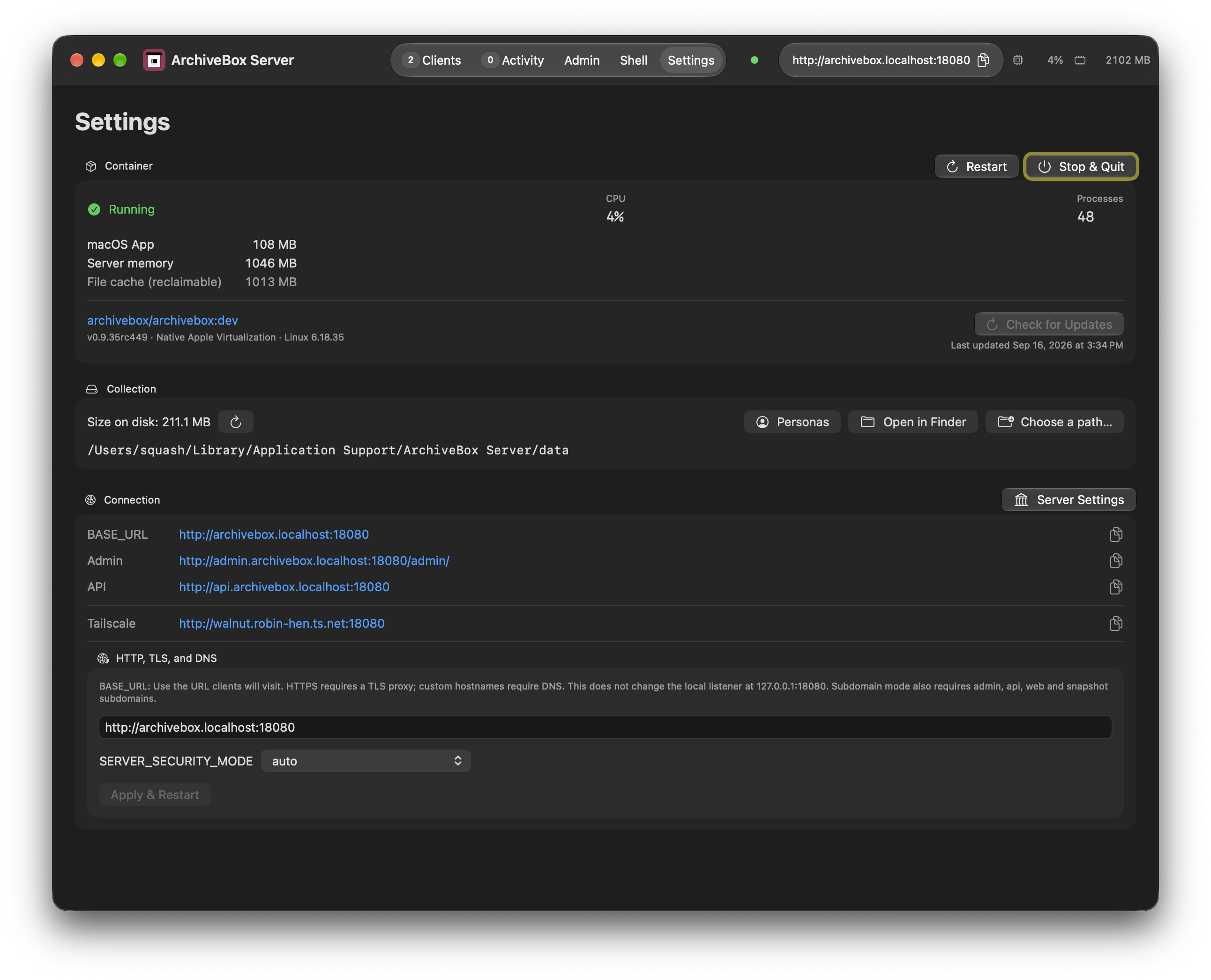
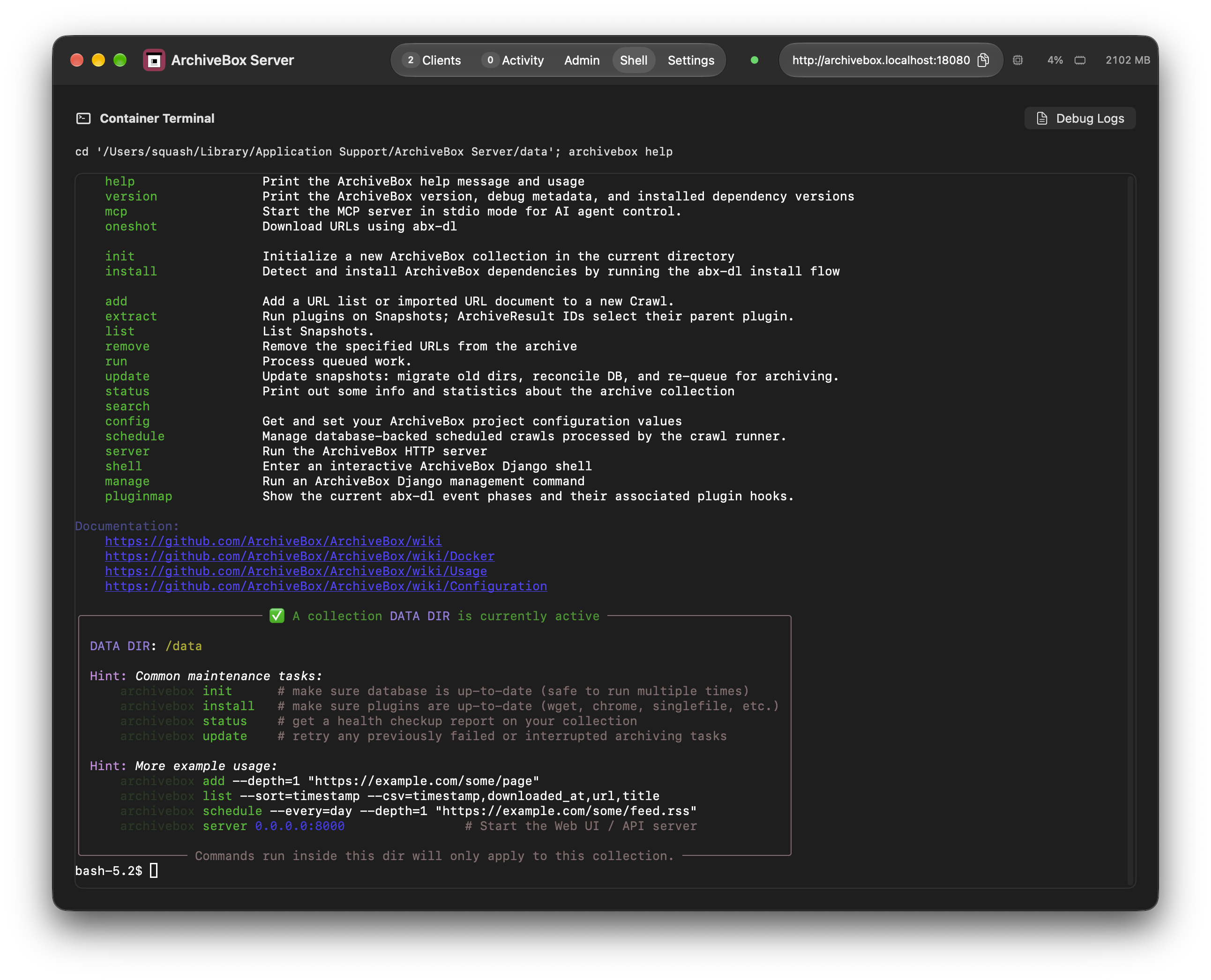
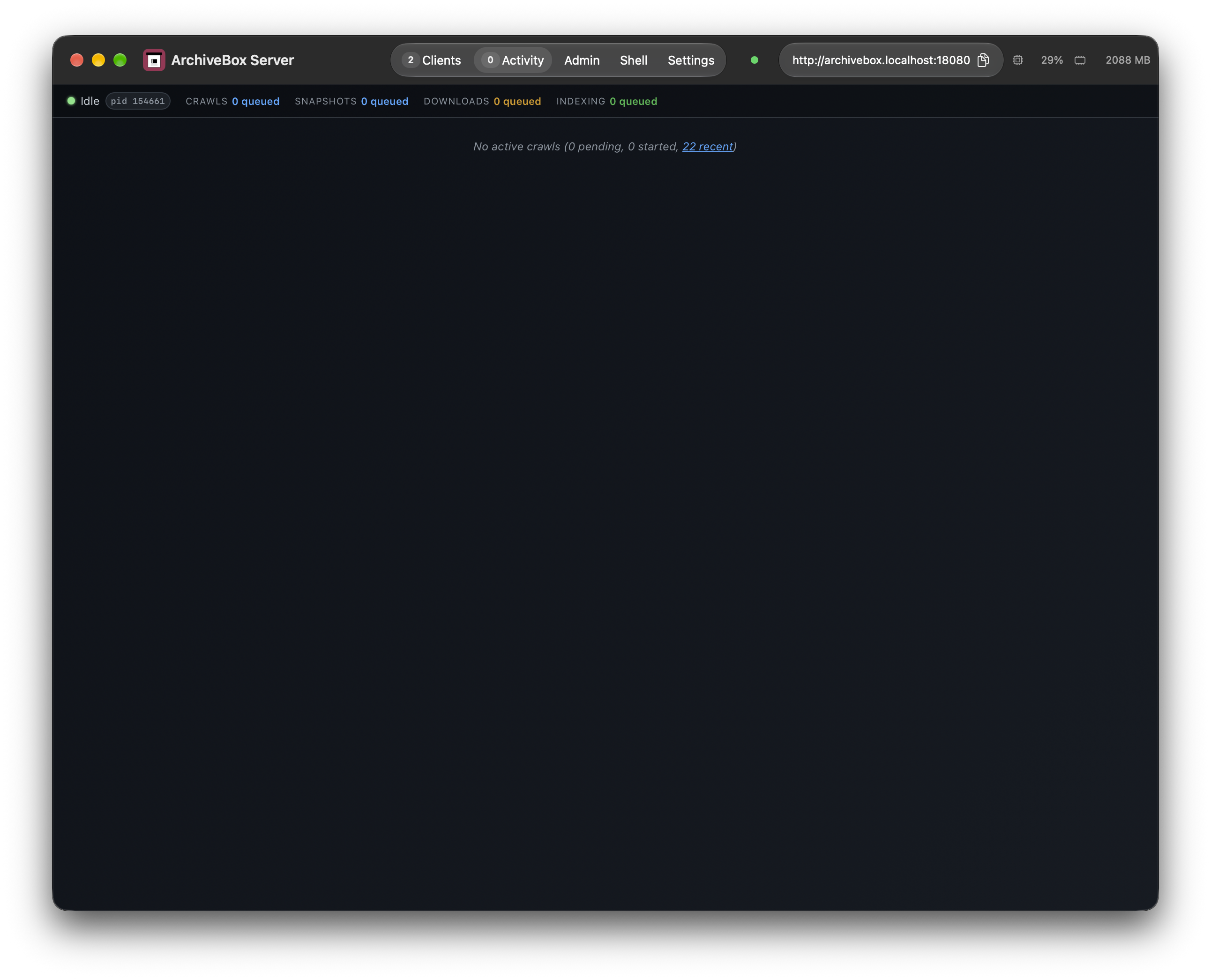
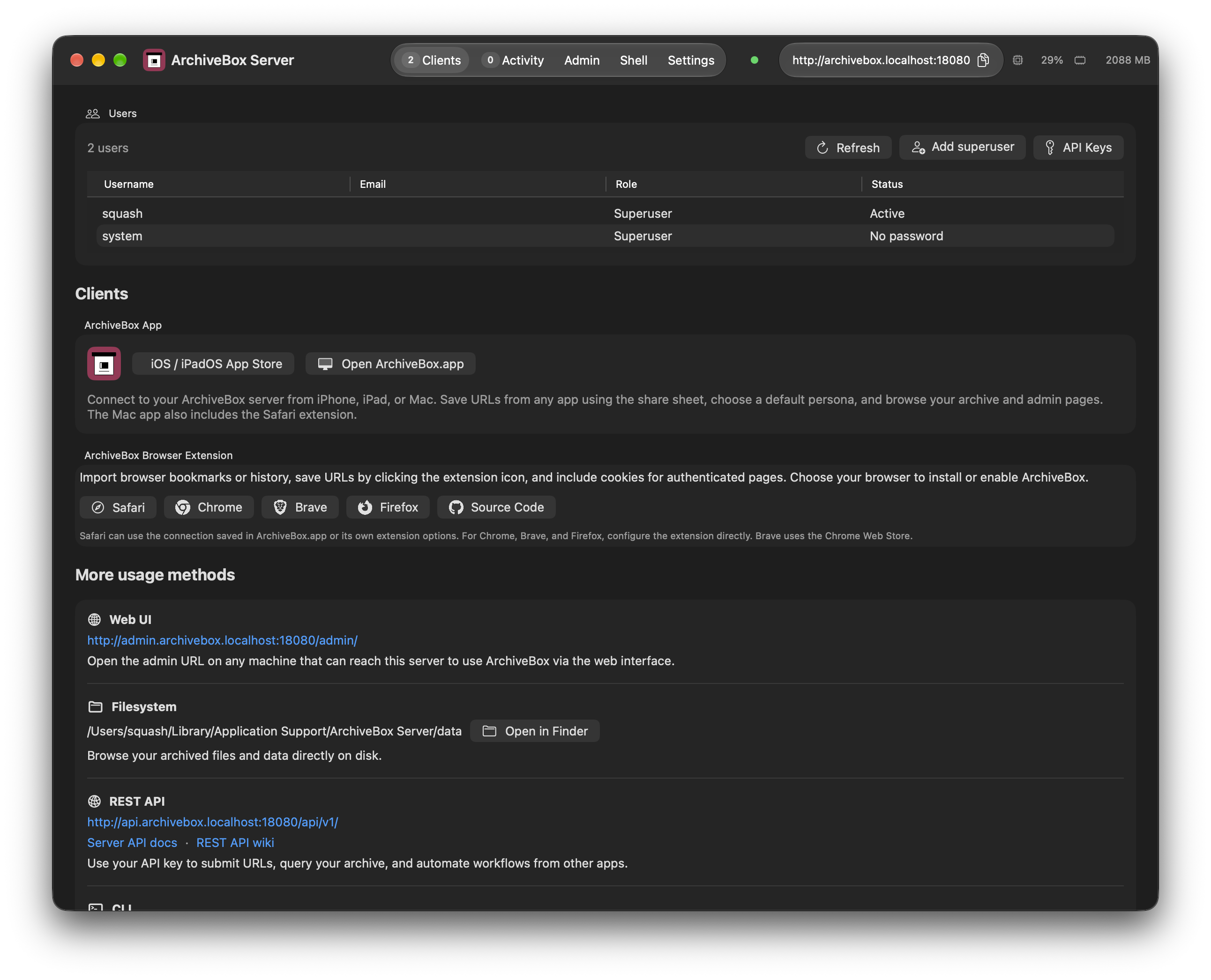
- 🟢 See what’s running: server status, active downloads, CPU, and memory.
- 🗂️ Choose where your archive lives and open its files in Finder.
- 👥 Create an administrator and manage users from Settings.
- ⏯️ Pause and resume archiving from the menu bar.
- 🖥️ Open the archive, watch activity, or use the built-in terminal.
- On Mac, open ArchiveBox.app → Connection Settings → Run Server Locally.
- Download and open ArchiveBox Server.app, then create your first administrator in its Settings.
- Return to the client and use Get Key to finish connecting.
Your saved archive stays on your Mac when you quit either app.
Connect from your iPhone, iPad, or another Mac
- Use a server address reachable from that device, over your network or VPN.
- To access your Mac’s server from other devices, follow the ArchiveBox networking guide.
- The Mac running your server must be awake and reachable to receive new links.
Save from your browser, too
Collect from Safari, Chrome, Firefox, Brave, and Edge with the ArchiveBox browser extension.
- Save pages from your browser’s toolbar.
- Import bookmarks where supported.
- Save pages that require a login using browser personas.
Browser setup & extension guide ↗ · Chrome / Brave · Firefox · Edge
Help & feedback
- 📖 ArchiveBox documentation — setup, archiving, and managing your collection.
- 💬 Community forum — ask questions and share what you’re building.
- 🐛 Report an app bug — include your device, OS version, and what happened.
Privacy & license
Privacy
- The native apps contain no analytics or tracking SDKs and require no developer-operated cloud account.
- Shared URLs are sent to the ArchiveBox server you configure. That server’s administrator controls storage, access, and retention.
- The app stores connection credentials in device-only Keychain. Shared URLs stay in memory during submission; the native share sheet keeps no URL history or offline queue. It remembers the two most recently saved tag names per server on this device.
- Embedded server pages use a browser session in memory. Your server and the pages you open may have their own privacy policies.
- The browser extension for Safari, Chrome, Firefox, Brave, and Edge has its own local storage and optional cookie syncing. Review its settings and documentation before enabling those features.
- The server contacts websites you ask it to archive and any external services enabled in its configuration. Review ArchiveBox privacy and security settings, including submission to Archive.org.
- Downloads, updates, and TestFlight use GitHub’s and Apple’s services and are subject to their policies.
- For privacy questions, use the ArchiveBox contact information or community forum. Don’t include passwords or API keys in public reports.
License
Free and open source under the MIT license. See branding credits, browser icon credits, the Public Suffix List license, and the bundled extension license. Website button icons are from Font Awesome Free, used under CC BY 4.0. The companion’s bundled components retain their upstream licenses.
Build from source & contribute
Requires Xcode 26+, Node.js 22+, and pnpm 10.33.2. See the developer guide for signing, platform targets, and verification.
git clone https://github.com/ArchiveBox/ios-archivebox.git
cd ios-archivebox
node scripts/prepare-safari.mjs
swift test
open ArchiveBox.xcodeproj
- Select ArchiveBox for iPhone/iPad or ArchiveBoxMac for Mac, then choose your development team.
- Build the optional companion with
bash ServerApp/prepare.shfollowed bybash ServerApp/build.sh(large downloads). See the server build guide. - Release instructions · TestFlight setup · Validation notes · Website editing
- Please open an issue to discuss substantial changes before starting a PR.
More from ArchiveBox
- ArchiveBox — the self-hosted server, web UI, and CLI.
- Browser Extension — collect URLs and browser captures in Safari, Chrome, Brave, Firefox, and Edge.
- abx-dl — standalone command-line web archiving.
- abx-plugins — archiving plugins and output formats.
- abxpkg — install and manage archiving tools.
ArchiveBox.io · GitHub · Support the project ♡
Your data. Your devices. Your archive.